1
Time Audit
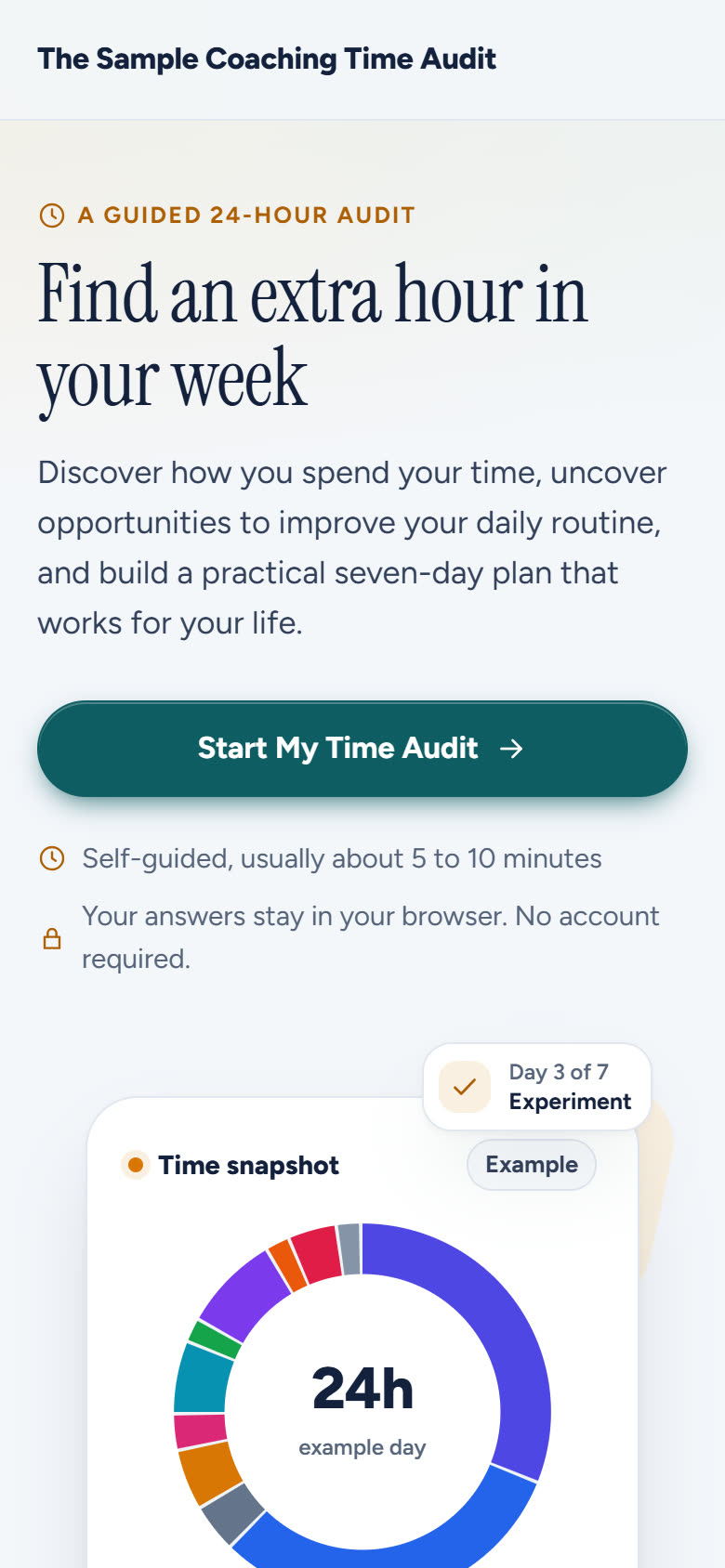
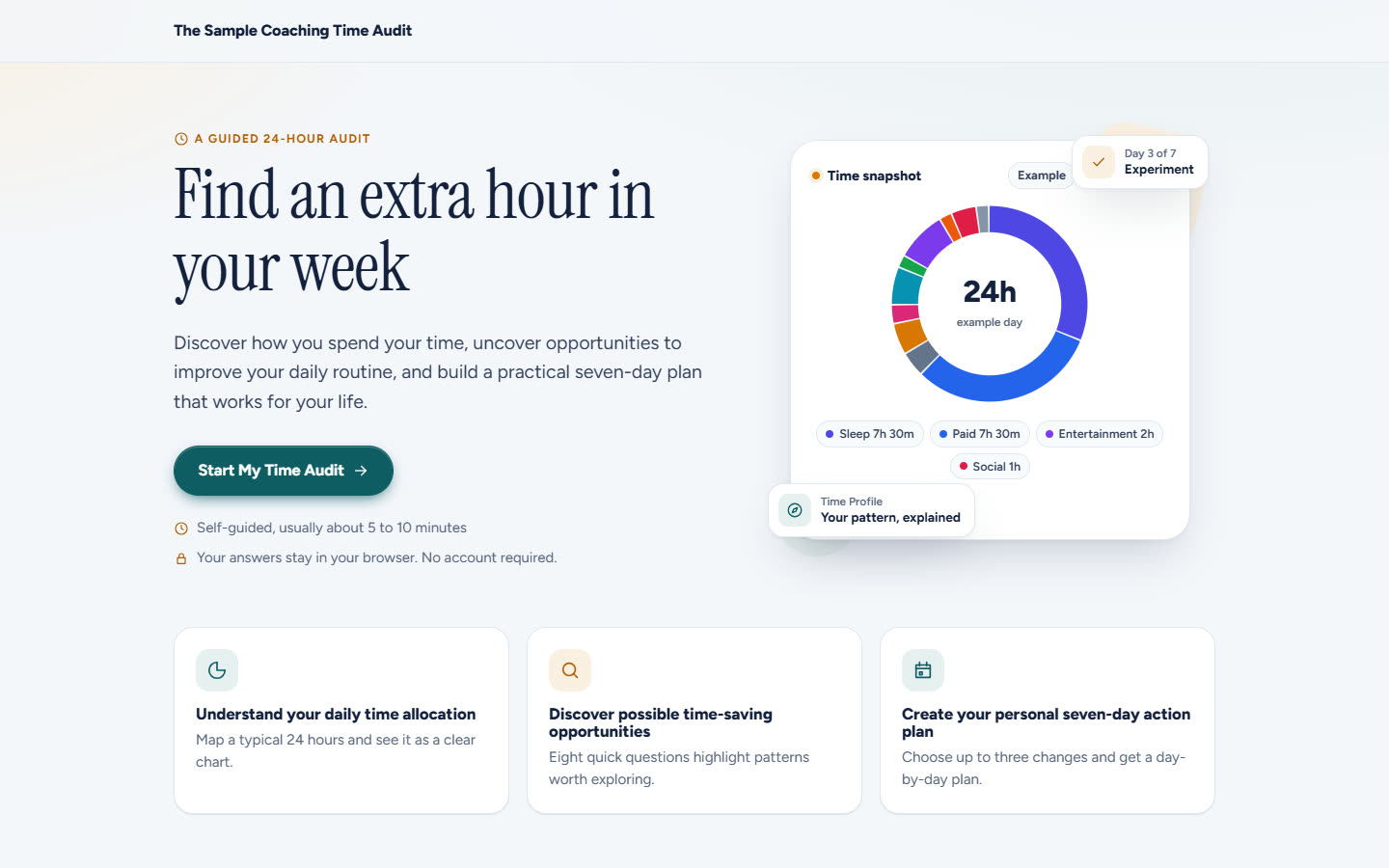
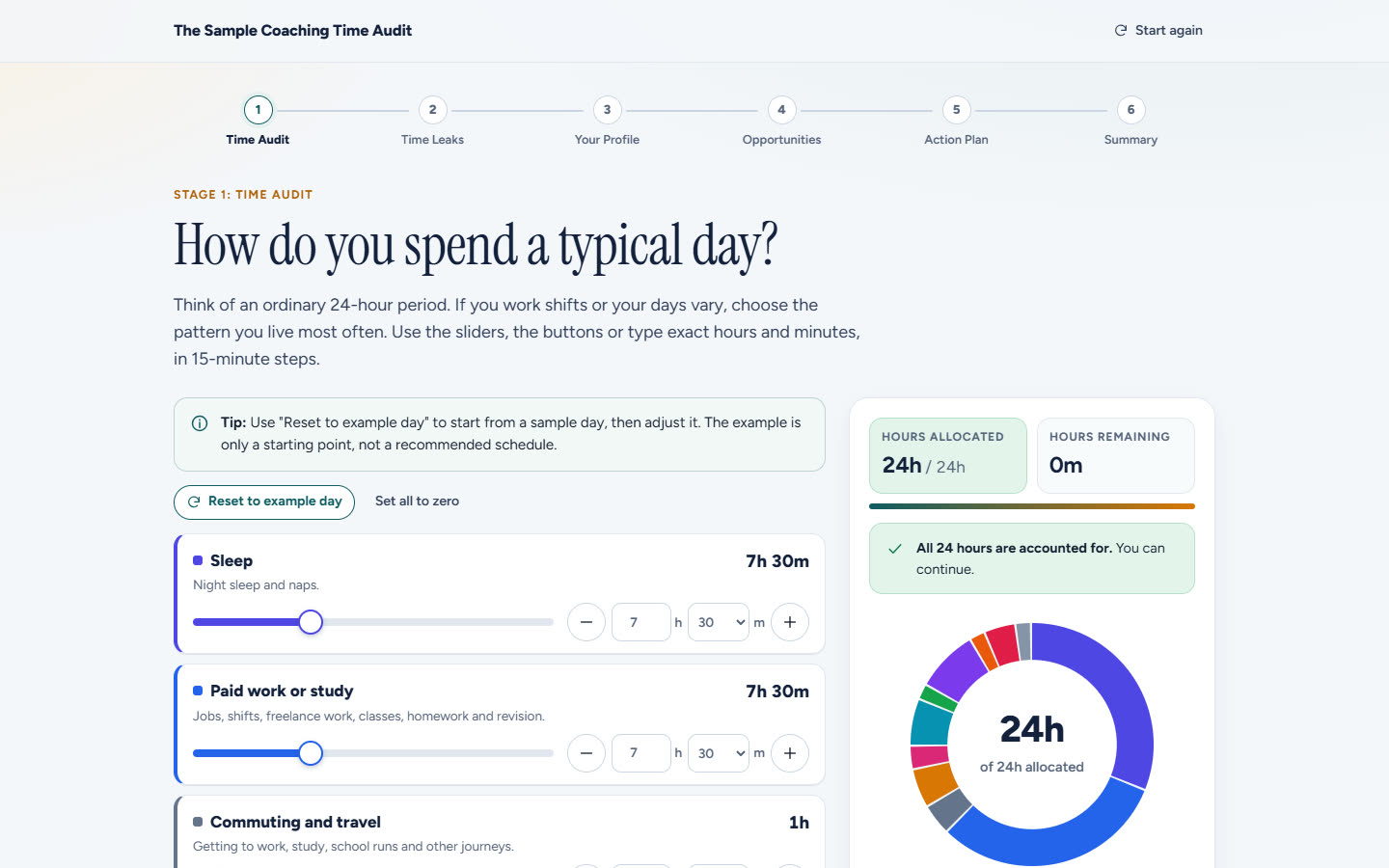
Visitors map a typical day across 11 categories in 15-minute steps, starting from an example day if they like. A live chart updates as they go, and they continue only when all 24 hours are accounted for.
Brandable interactive tool · Sell it as your own
The 24-Hour Productivity Audit is an interactive time audit people complete in their browser, in about 5 to 10 minutes. They map a typical day, spot their time leaks and leave with a seven-day plan. You brand it in minutes, then publish it, sell it or give it away under your own name. The button at the end sends visitors wherever you choose: your offer, your opt-in page or your booking calendar.
One payment of $12.95 · Instant download · 60-day refund policy · Watch the 2:46 walkthrough below
Watch it in action
See a sample brand added in the customiser, then follow a visitor through every stage of that branded copy, from mapping their day to their printed plan.
This is The 24-Hour Productivity Audit: an interactive tool your visitors use in their browser to see where their time goes and build a seven-day plan. You brand it as your own, and here is how.
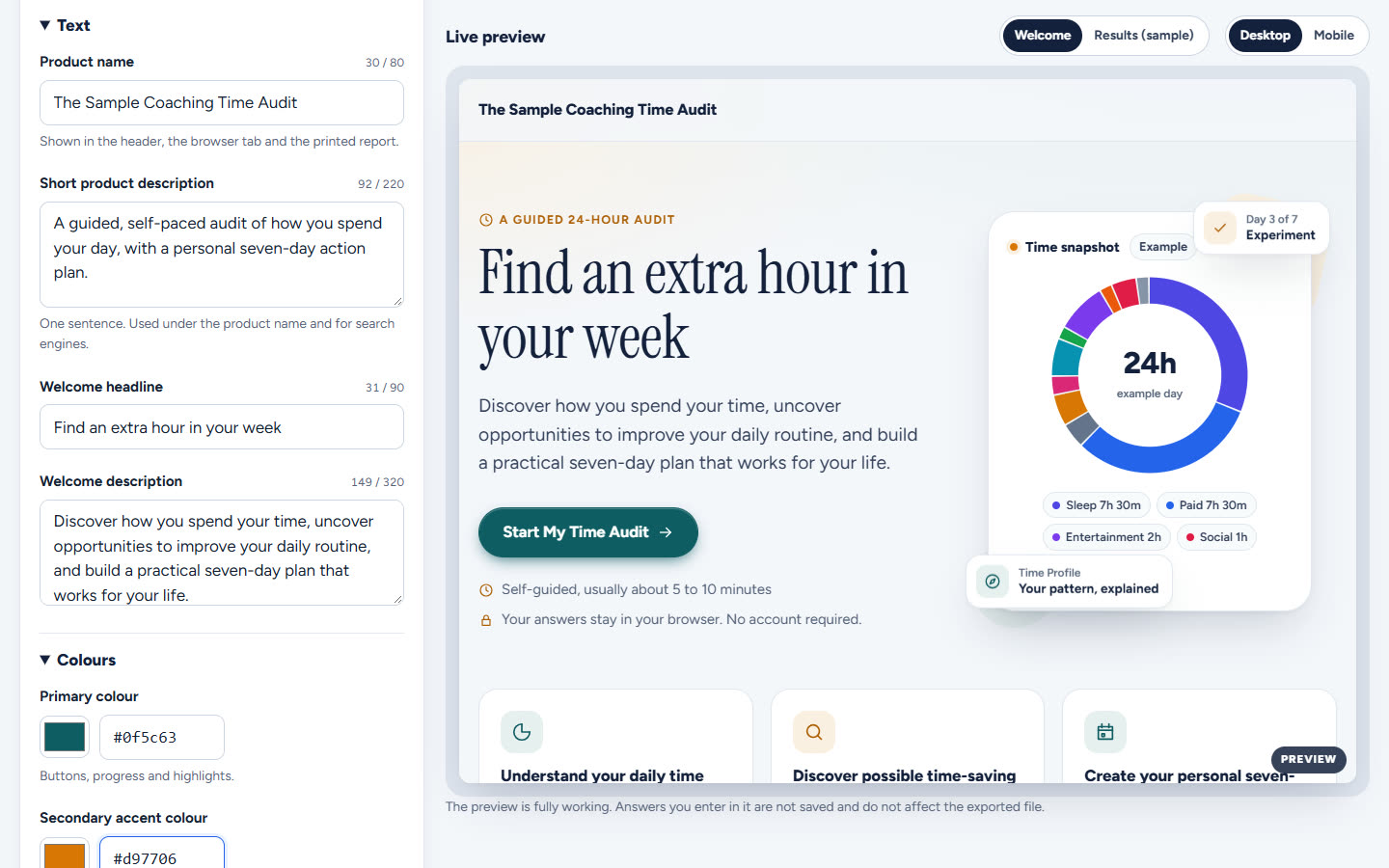
Open the customiser that comes with the package. Type your product name and a welcome headline. Choose your colours. Add your business name for the footer. Then switch on the call to action: the button visitors see with their results. It can link to your booking page, your course or your offer.
The live preview shows exactly what visitors will see. When you are happy, click Download My Branded HTML. You get one stand-alone file with your branding built in. Upload it to your website, or sell it or give it away. The customiser stays private to you.
Now let's see what your visitors get. This is the branded copy we have just made.
Stage one is the Time Audit. Visitors map a typical day across eleven categories, in fifteen-minute steps. They can start from an example day and adjust it. The chart updates as they go, and they can only continue once all twenty-four hours are accounted for.
Next comes a snapshot of their day, with observations drawn from their own numbers. If they like, they can sketch the day they would prefer and compare the two.
Stage three is the Time Leak Finder: eight quick questions about common difficulties, such as interruptions, task switching and over-commitment. There is always a "does not apply to me" option.
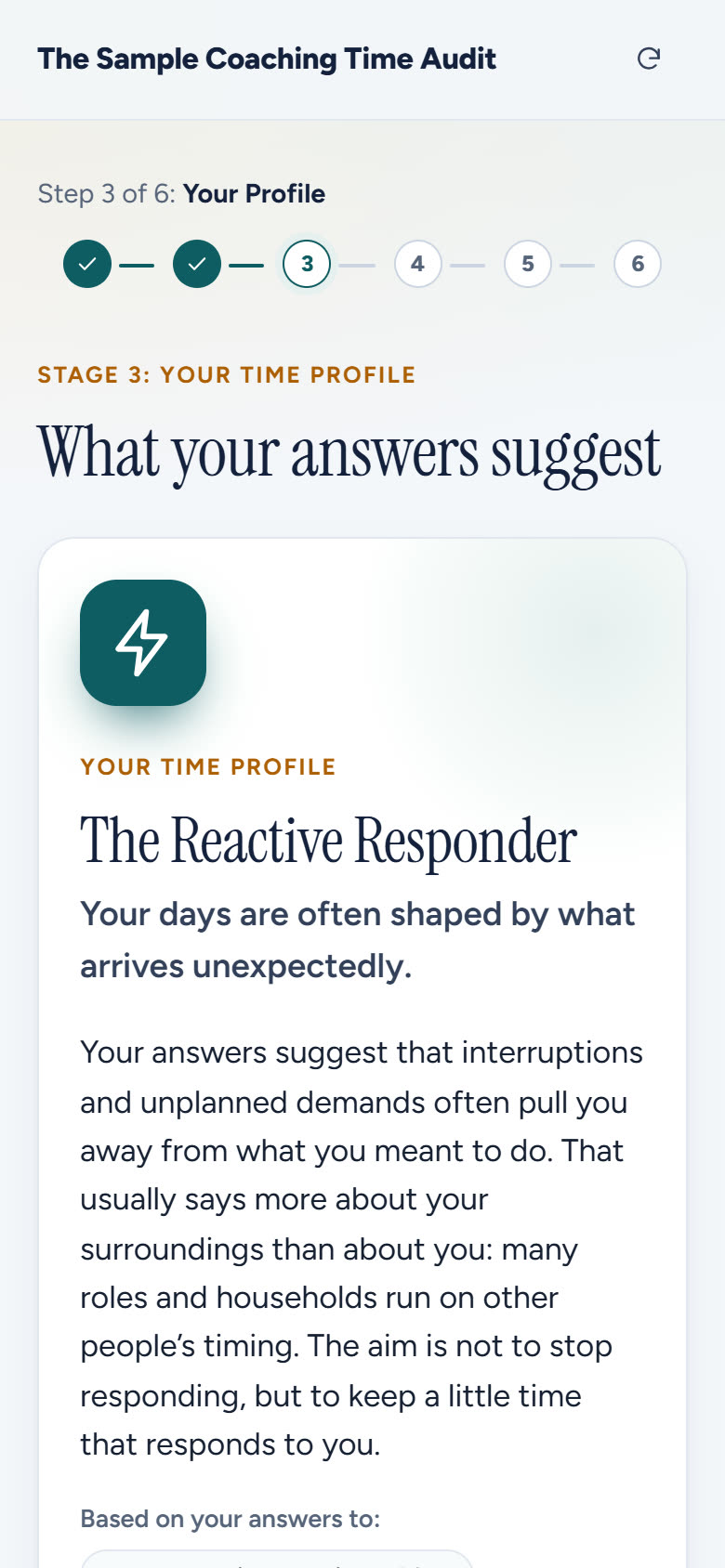
Their answers produce an informal Time Profile, with strengths, possible challenges and three practical suggestions. Each suggestion shows which answer it came from.
In the Opportunity Planner, they choose up to three changes. They can also estimate the time a change might free up, and see what that adds up to over a week and over thirty days. These are their own estimates, not a promise.
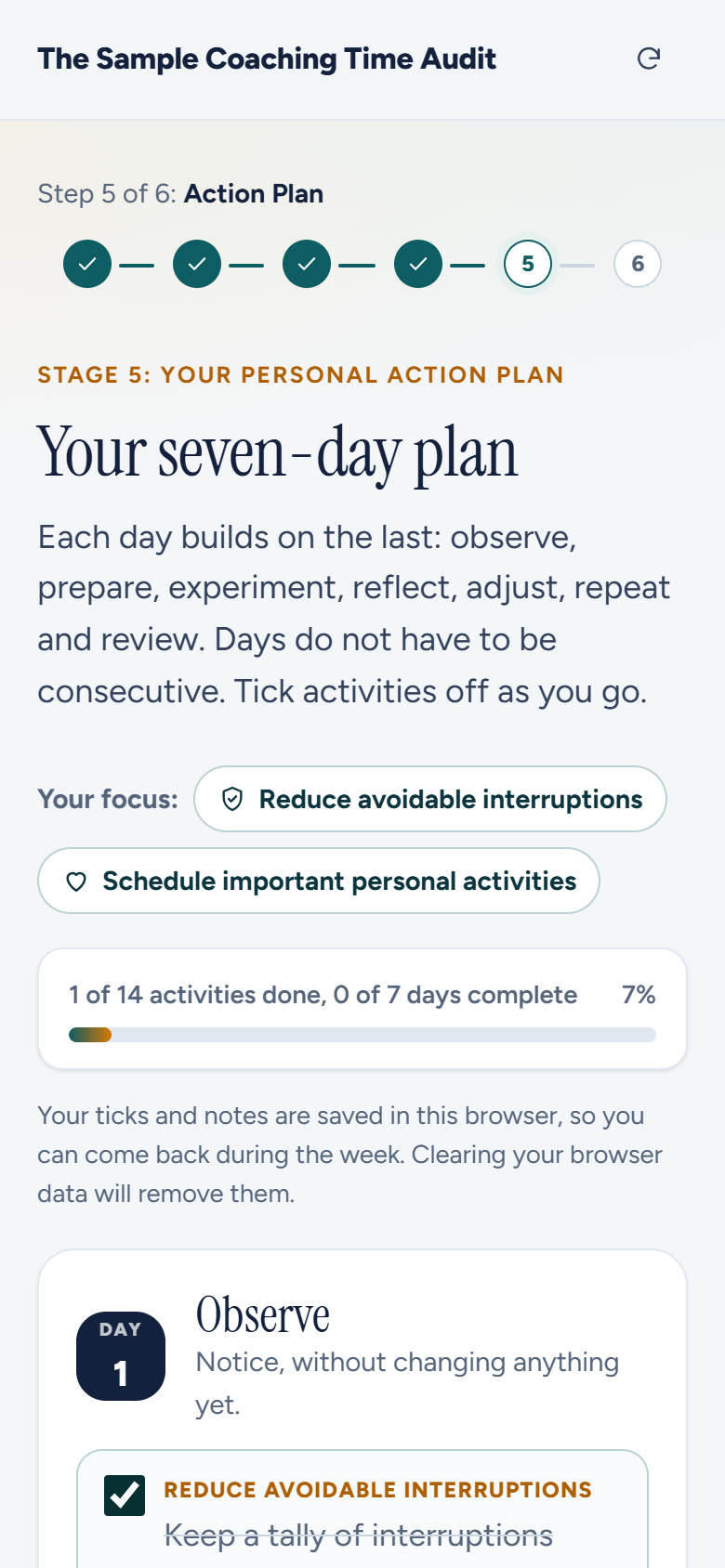
Then they get a seven-day action plan built from their choices, with tick boxes and space for notes. Progress is saved in their browser, so they can come back during the week.
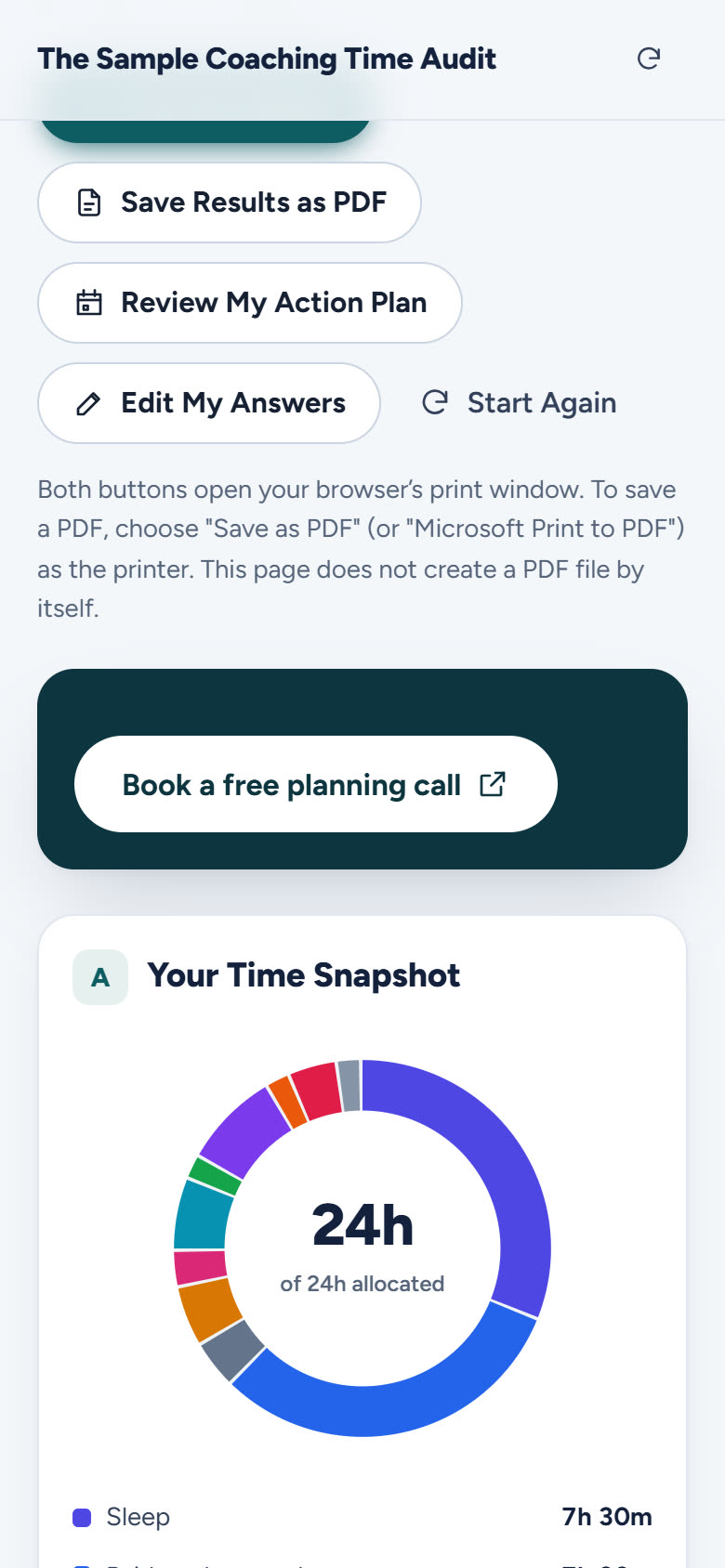
Finally, a summary they can print or save as a PDF, with your call to action right where they have a plan in hand.
There are no accounts and no email sign-ups. Answers are processed in the visitor's browser and are not sent to you or anyone else. The 24-Hour Productivity Audit: one branded file, ready for your website or your customers.
Why a tool, not another article
Advice about time management is everywhere, and most of it is skimmed. A tool is different: it asks about their day, uses their numbers and hands back a plan built from their answers.
That makes it a natural first step with your audience, and the results screen carries your own call to action, right when they have a plan in hand.
What your visitors get
Visitors map a typical day across 11 categories in 15-minute steps, starting from an example day if they like. A live chart updates as they go, and they continue only when all 24 hours are accounted for.
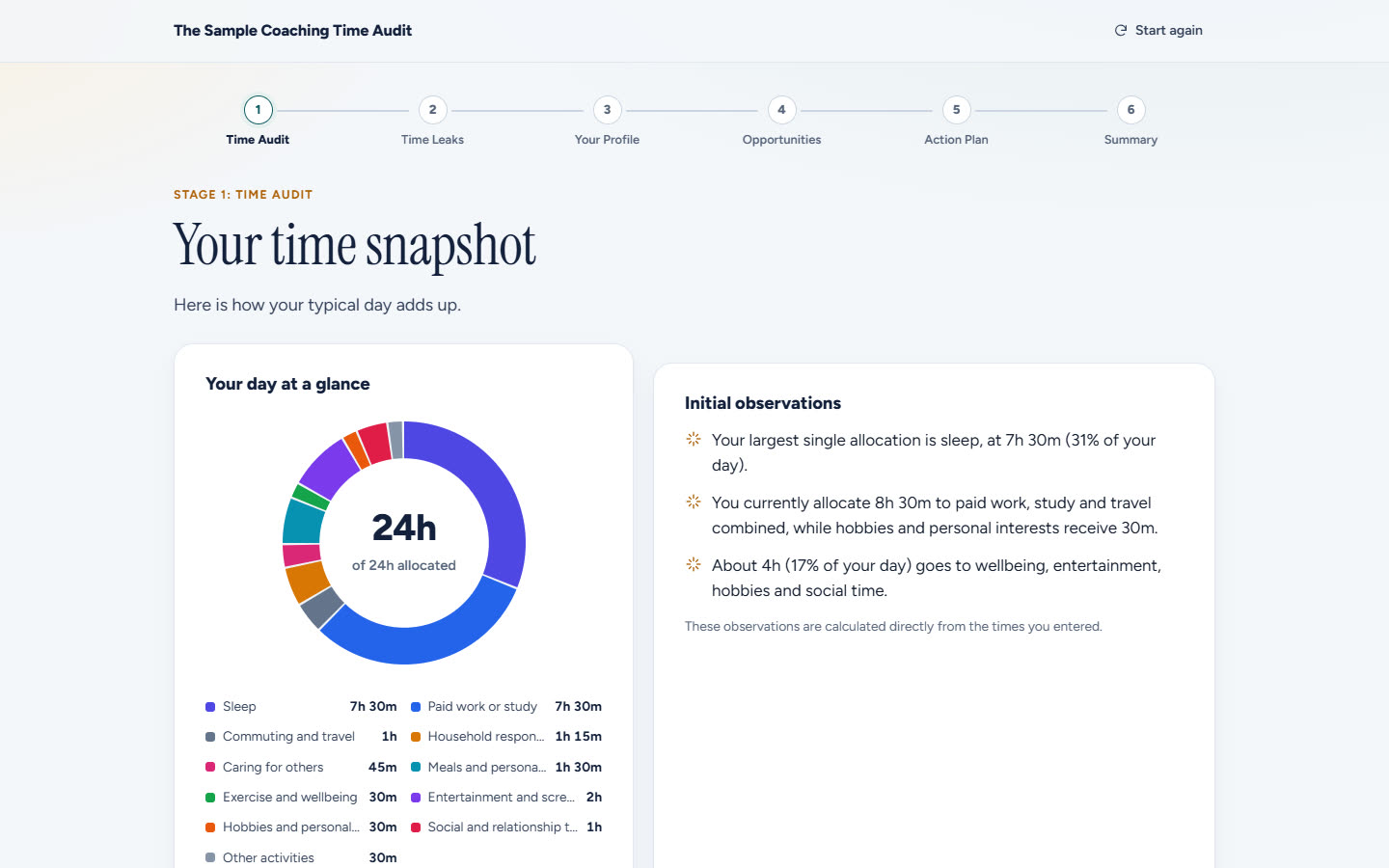
A clear picture of their day with observations drawn from their own numbers, plus an optional “preferred day” to compare with what they have now.
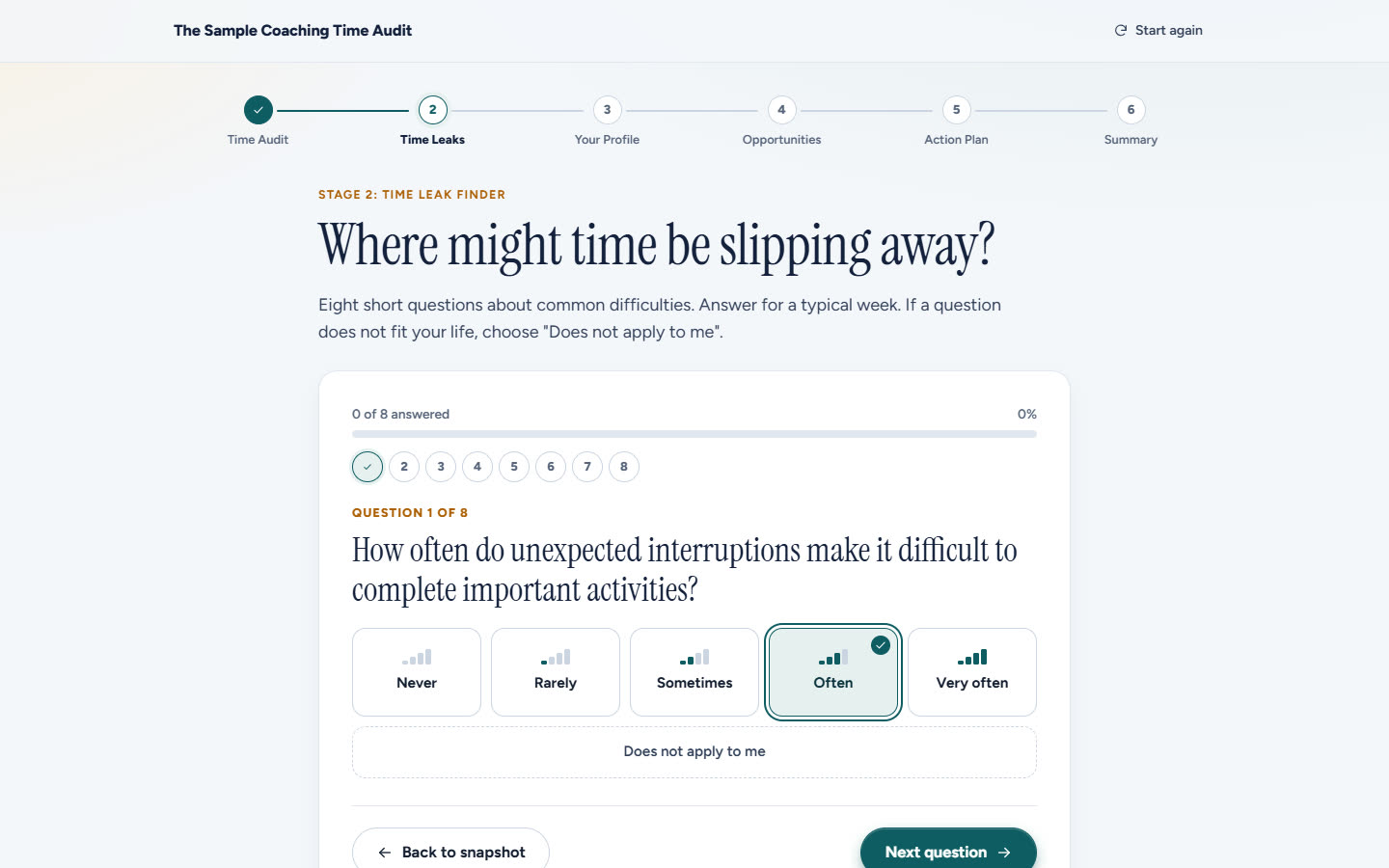
Eight quick questions about common difficulties, such as interruptions, task switching and over-commitment, each with a “does not apply to me” option.
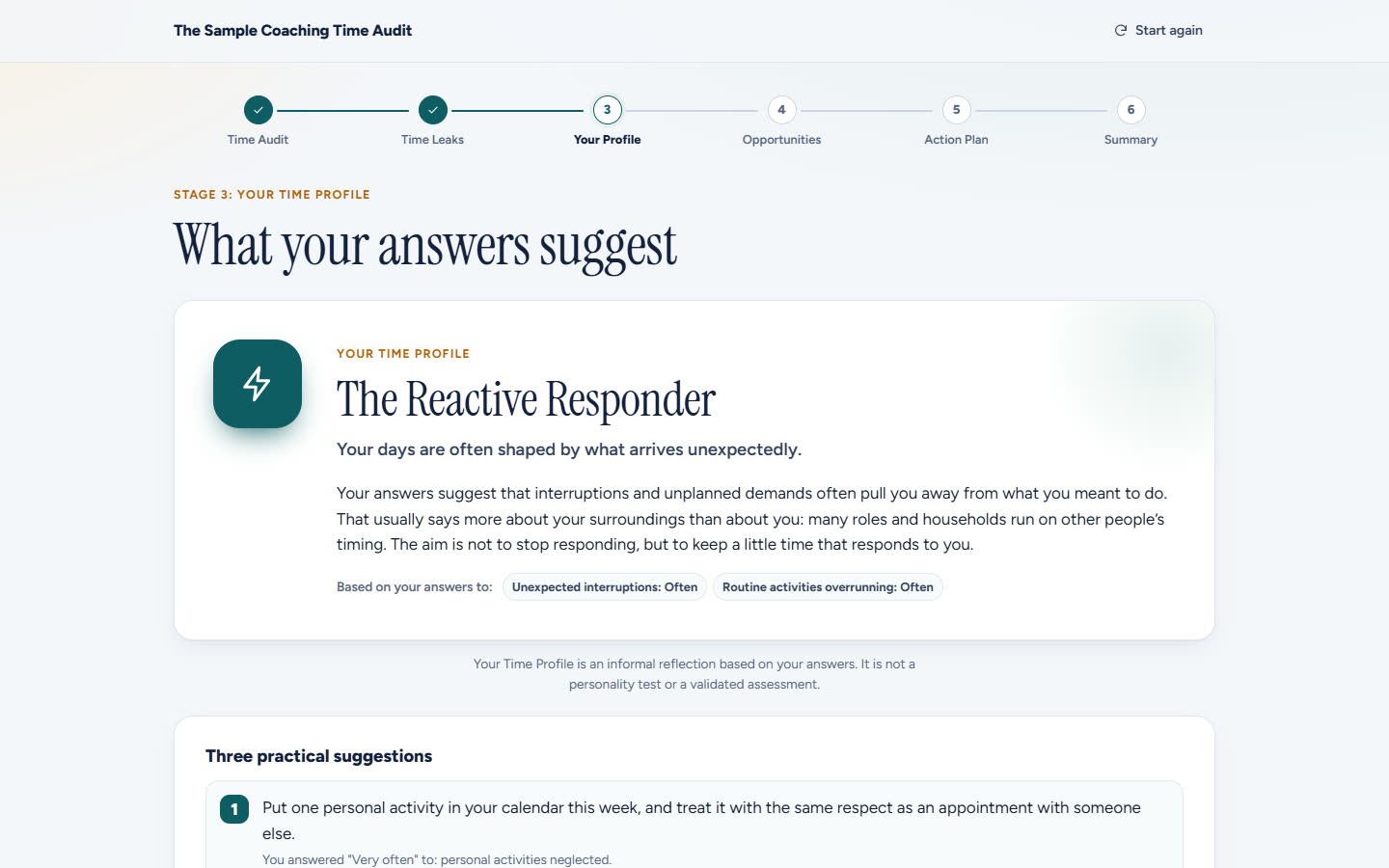
An informal profile with strengths, possible challenges and three practical suggestions, each showing which answer it came from.
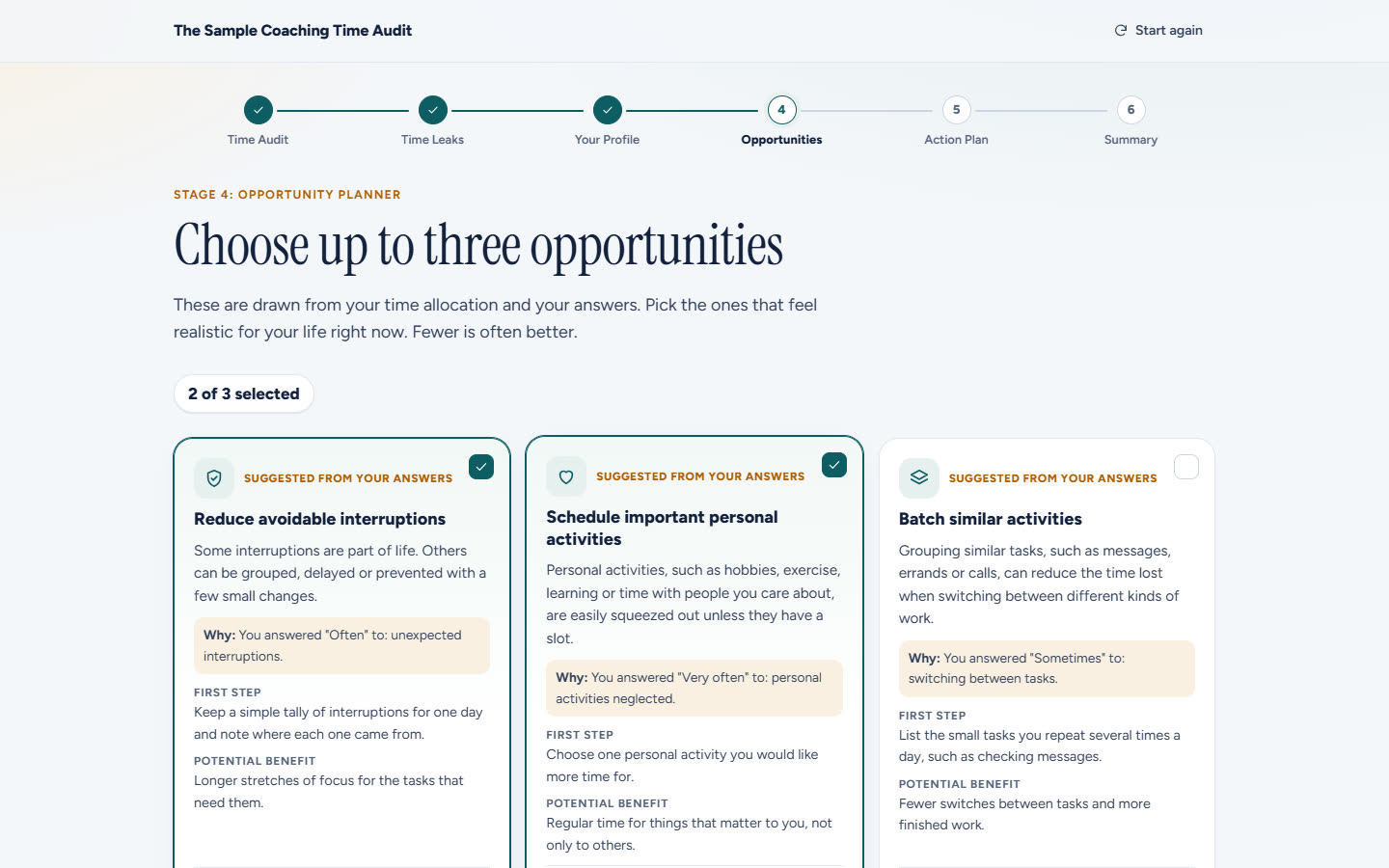
Up to six suggested changes; they choose up to three. Optional estimates show what a small change could add up to over a week and over 30 days, based on their own assumptions.
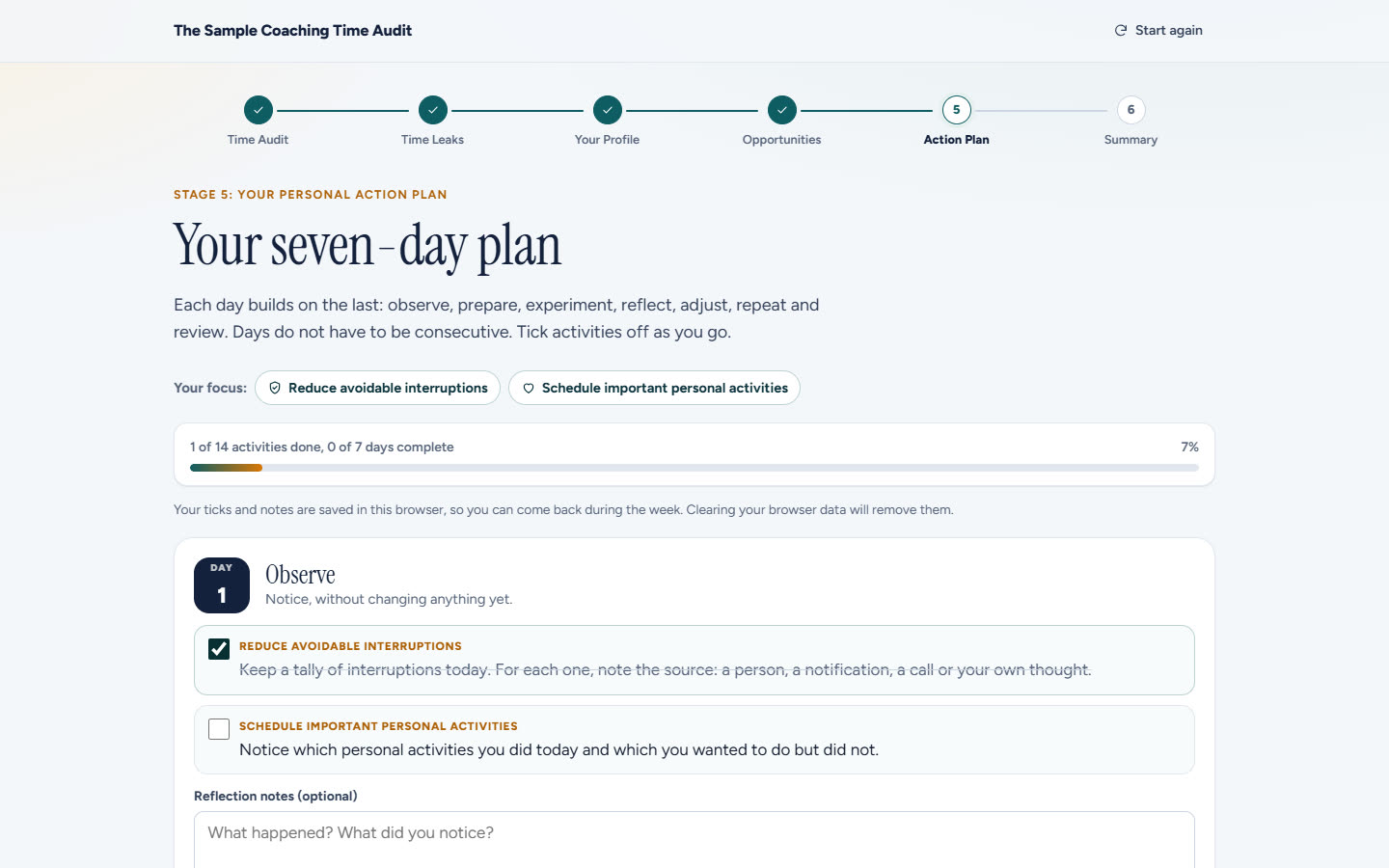
A seven-day plan built from their choices, with tick boxes and notes, then a summary they can print or save as a PDF, with your call to action.
Works on phones, tablets and computers.
Make it yours
Open the private customiser that comes with the package, change what you like and watch the live preview update. Then download your branded copy: one stand-alone HTML file.
One tool, many uses
We make no representation that you will earn anything from this material. See the earnings disclaimer.
Built for trust
Your own hosting, website and linked pages may process data under their own privacy terms.
In the download
Your licence
Sell or give away the audit file as your own, with one firm line: everything else in the download, including the customiser, stays with you.
Questions
No. You fill in the customiser and click a button to download your branded file. Putting it on your website is a normal file upload; the Installation Guide covers common platforms, including WordPress.
Anywhere you can upload an HTML file and link to it. Some website builders do not allow custom HTML or embeds; on those, host the file elsewhere and link to it. It runs in current versions of Chrome, Edge, Firefox and Safari, on computers, tablets and phones.
Yes. You can sell or give away the audit file, the single HTML page your visitors use, branded or unbranded, on its own or bundled with your own products, under your own brand. Include the short customer notice from the download with each copy. Everything else in the download stays with you: you cannot share or sell the customiser, its settings, the guides or the marketing files. You also cannot brand copies for a client or another business, or pass on resale rights. The licence table above and the licence file in your download have the full terms.
No. The customiser changes the branding only: name, text, colours, logo, footer and call to action. The questions, profiles, suggestions and plans are fixed, which keeps the scoring working.
No. The audit processes answers in the visitor's own browser and does not send them to you or anyone else. If you want to stay in touch with visitors, use the call-to-action button to link to your own sign-up or booking page.
No. It is a guided self-reflection tool and tells visitors so. The profile is informal, and time-saving figures come from the visitor's own estimates, never a promise.
On the order form you will be offered an optional companion guide, Your Daily 1,440, for $7. It follows the same stages as the audit and comes with its own limited private label rights. It is entirely optional; the audit works fully without it. See how to add it.
Instantly, as a download from your Digistore24 order confirmation: one zip file with the audit, the customiser, two PDF guides, marketing text, your licence and the customer notice.
Yes, within 60 days. Digistore24 sells this product as reseller and handles refunds: ask through the link in your order confirmation email within 60 days of purchase. A refund ends your licence, so stop using, selling or giving away the audit and remove any copies from your websites. If a file will not download or open, tell us and we will sort it out. See the refund policy.
Yes. Email support@brandabletools.com or use the support page and a real person will answer.
Optional add-on on the order form · Limited PLR · $7
Your visitors complete the audit and get a seven-day plan. Your Daily 1,440 gives them the thinking behind it, in plain, warm language: how to map where their minutes go, the eight common time leaks, what each Time Profile means and how to turn up to three small changes into a habit that lasts.
Limited PLR: add your name and call to action, then sell or give away finished copies, as they are or edited, under your own brand. You may not pass on the editable Word file, or PLR or resale rights. Full terms are in Rights.txt in the download.
How to add it
The guide is offered only on the order form, together with the audit. It is entirely optional: the audit works fully without it. The 60-day refund policy covers it too.
Audit $12.95 · guide $7 if you add it · Secure checkout by Digistore24
This page shows you the real thing: the full walkthrough video, every stage of the audit, the customiser and the exact contents of the download. If anything is still unclear, ask before you pay: email support@brandabletools.com and a real person will answer.
If you buy and decide it is not right for you, you can ask for a refund within 60 days of purchase. Digistore24 sells the product as reseller and handles refunds through the link in your order confirmation email. A refund ends your licence, so any copies you have published, sold or given away must be removed. A file that will not open is ours to fix, not a refund question.
Full terms on the refund policy page.
Ready when you are
Here's everything you get:
One payment of $12.95 · Instant download · Secure checkout by Digistore24 · 60-day refund policy